By default, when you set up a new Windows 2008 Server (including R2), you may notice that the machine will not reply to ping request with a ICMP response. I have not been able to find any official documentation stating when this started being the default on Windows servers. It was likely done to reduce the surface attack area of the server by protecting the server from simple DoS (flood pinging) attacks, as well as attacks such as a malformed “ping of death” ICMP echo request.
If you’re like me, you like to be able to test that a server is available via “pinging” it. Fortunatley, enabling this feature in Windows Server is easy. There are two ways of doing it.
To enable via the command line
netsh firewall set icmpsetting 8
To disable
netsh firewall set icmpsetting 8 disable
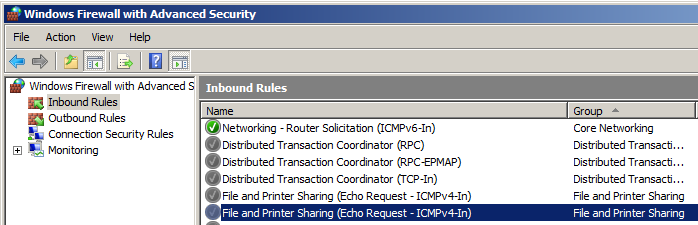
Or you can go into Administrative Tools->Windows Firewall with Advanced Security. In the Inbound Rules you will find a rule titled File and Printer Sharing (Echo Request – ICMPv4-In). To enable, right-click and select Enable. If you are using IPv6, be sure to enable the v6 verison of the rule.